
What is a Second Life Bot
| Line 7: | Line 7: | ||
A Bot is exactly the same as an avatar in SL, like other real people. He is dressed, shod (wearing shoes), can use AO's (animation over-rider) and any other attachments. Anything that a normal avatar can wear so can a Bot. |
A Bot is exactly the same as an avatar in SL, like other real people. He is dressed, shod (wearing shoes), can use AO's (animation over-rider) and any other attachments. Anything that a normal avatar can wear so can a Bot. |
||
| - | The only difference is that it is not run by a real person, instead it is managed by a computer. Depending on |
+ | The only difference is that it is not run by a real person, instead it is managed by a computer. Depending on the type of bot it will behave differently, and it can imitate a real person (especially if the bot is equipped with an auto-responder). |
| - | + |
To create a bot you make it as you would a normal avatar (Add on clothing, skin, hair etc). |
|
| - | == SmartBots - |
+ | == SmartBots - Second Life's largest bot hosting provider == |
When you close the client, your avatar goes offline with you. In fact, this lost time, you will no longer participate in the life of Second Life, after you get out of there. |
When you close the client, your avatar goes offline with you. In fact, this lost time, you will no longer participate in the life of Second Life, after you get out of there. |
||
Revision as of 22:52, 8 September 2012
In order to maximize our understanding of their benefits, we need to understand what is a bot and what are its advantages.
What is a bot?
A Bot is exactly the same as an avatar in SL, like other real people. He is dressed, shod (wearing shoes), can use AO's (animation over-rider) and any other attachments. Anything that a normal avatar can wear so can a Bot.
The only difference is that it is not run by a real person, instead it is managed by a computer. Depending on the type of bot it will behave differently, and it can imitate a real person (especially if the bot is equipped with an auto-responder).
To create a bot you make it as you would a normal avatar (Add on clothing, skin, hair etc).
SmartBots - Second Life's largest bot hosting provider
When you close the client, your avatar goes offline with you. In fact, this lost time, you will no longer participate in the life of Second Life, after you get out of there.
At the same time, some operations can be performed only Text: an invitation to the group, sending the notice, monitoring chat groups. Plus, if you plan to organize the communication with customers, they will be much more comfortable to chat with avatar.
In addressing these issues helps bots. Bot - this avatar with a custom program to meet your needs, it regularly performs around the clock that you have indicated to him before.
Services SmartBots allow revive bot, turning it into an avatar with specific functions, allowing you to save time and money. Bots SmartBots are online round the clock. When some problems in CA (eg reboot Sim) bot automatically returns online (at its old location) at the earliest opportunity.
opportunities bots SmartBots
Convenience features is the remote management of your team, and the interaction with other people through your web browser. Through a browser you can change or modify the notice, sets the time of their distribution, and you can talk to your group or to individual users, to prevent and remove offenders from the group without going to the client.
Live Examples
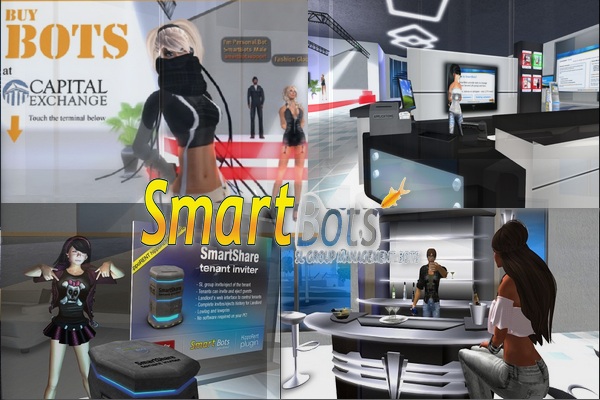
Clubs
Assume that you own (ovnerom) club. Therefore, you may need four types of boats, look at them closer.
- First - bot administrator. He stands at the entrance or in any other place, nicely dressed, and invites visitors to a group of your club, the group sends notifications about the upcoming party, sends it through advertising and you can communicate with others or to them without going to the client;
- The following type - a boat-DJ. It automatically recognizes the tracks, put to music and talking to people;
- The following are a couple of nice bots denserov, which the owner of the club dance in the appropriate places, attracting people;
- And the last type of boat for the club - it's a boat-bartender. He stands behind the bar counter, the client calls choose a drink from the extensive menu and pours for the price specified by the owner (for example for 1L).
Once again, that all boats are in the club around the clock, will never go to another club and even "dead hours", which is at any club, they continue to work for you, creating the necessary atmosphere. You must agree not always good to be in an empty club, and in the company, the more people who are already in the club, the more will visit more and in addition boat administrator if you specify it, the group continues to invite people to give you a competitive advantage compared to other clubs.
Shop Owners
There are so-called model boats. You put a bot model in selling clothes, he defile the buyers and when you click on the bot, it is proposed to purchase favorite outfit. Ideally using it along with the bot administrator.
But, of course, this is only the simplest examples. The bot can be used under almost any needs that customers are demanding. Team SmartBots gladly explain how to take advantage of already existing services more fully, and our programmers will make you a bot on your individual needs.
Creating a Bot
The main question people: '"How do bot?"'. Below we will cover this in more detail.
- First of all, you need to create your account on the website SmartBots. You can do this here.
- Next, register a new avatar in SecondLife, you can wear it to match your needs, choosing his hair, the shape and the skin, and even connect AO.
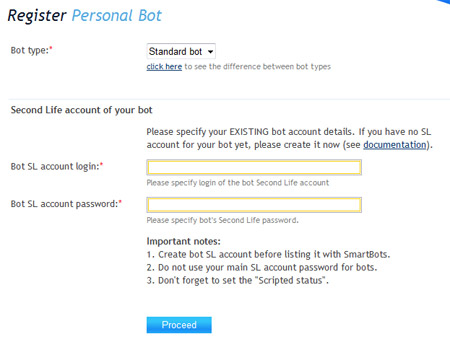
- Log in Smartbots, using your username and password, select from the menu on the left "Your personal bots" and fill out the form below. Indicate the type of boat - whether it is a standard model or a bot, please enter below his username and password in Second Life.
4. Prepaying your bot or individual services, for example, in our office, by clicking the link in your account SmartBots.
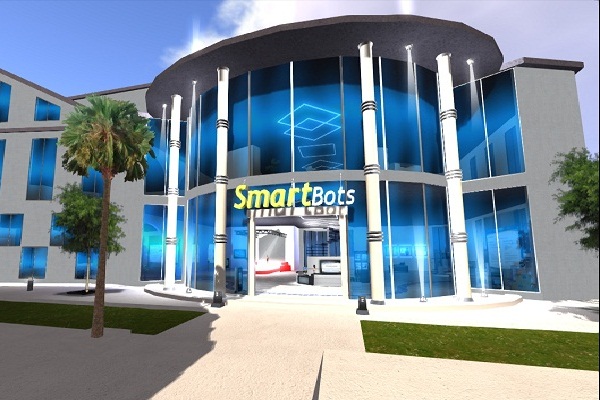
That's it, your first bot in the system! Using the left-hand menu on the website SmartBots, you can control your bot to communicate in a group or with anyone, to send a notice (in the case of a standard boat).
Best of luck!