
Change bot type
With smartbots you are able to change the type of bot you are using from model-standard or standard-model. The amount of time you have remaining will get adjusted automatically so remember to check your new expiry date.
How to Change Bot Type
The following steps shows how to change the bot type:
Login to your account and go to your Account Dashboard
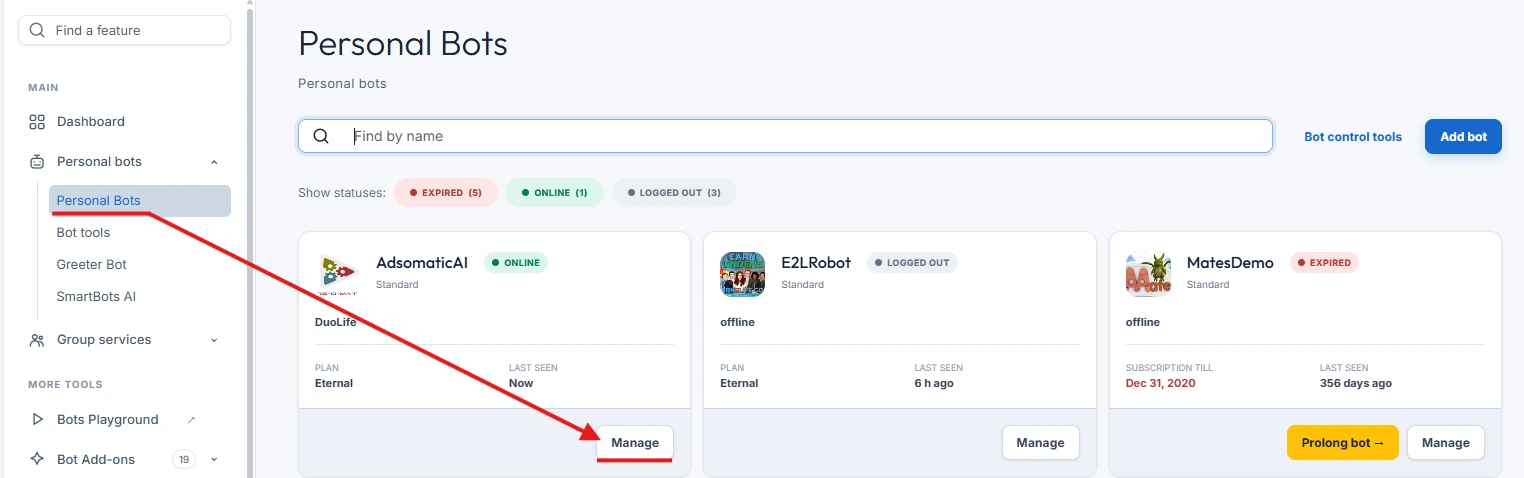
On the account menu click Personal Bots
Locate the bot you wish to change and select Manage:
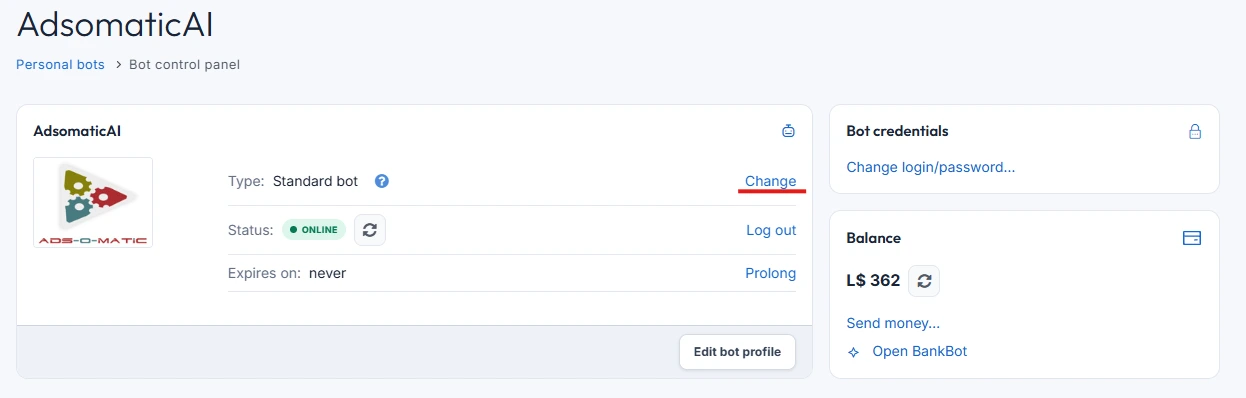
Under the bot name you will see the type of bot, click change:
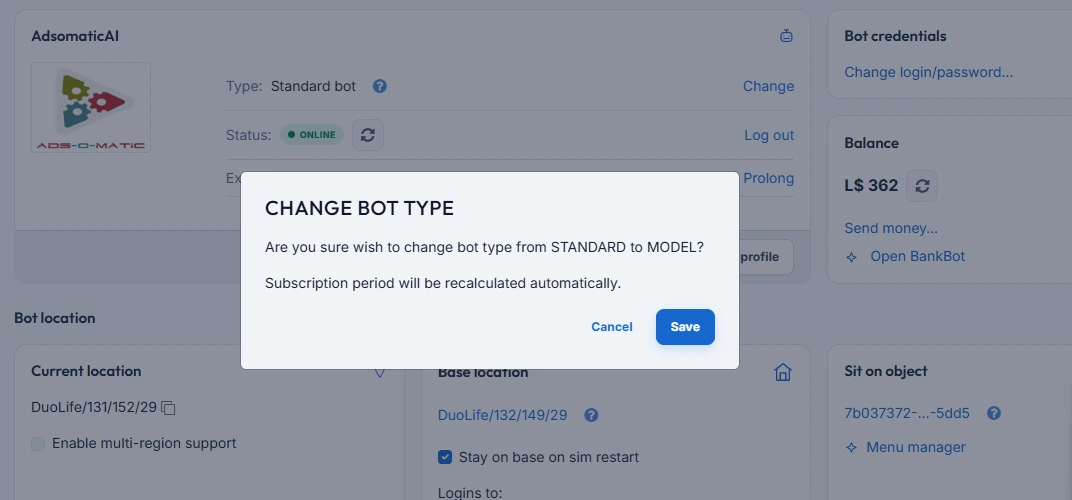
Click Save, in the confirmation message to change your bot type
You have successfully changed your personal bot type.
Additional Information
If you are changing a model bot to a standard bot your subscription length will decrease.
If you are changing from a standard to a model bot it will increase.
If you are changing a standard bot to a model bot and the bot is managing a group you will get an error