
SmartShare Tenant Inviter (SSTI)
| Line 17: | Line 17: | ||
*The complete tenant's activity log is available: guests and partners ever invited and ejected is shown |
*The complete tenant's activity log is available: guests and partners ever invited and ejected is shown |
||
| - | SSTI is configured using a main server (no need to separately configure each HippoBox): |
+ | SSTI is configured using a main server (no need to separately configure each HippoBox): only need to edit the configuration note card in the SSTI server. |
== Read more == |
== Read more == |
||
| Line 27: | Line 27: | ||
* [[Installing SSTI]] - How to install and configure SSTI |
* [[Installing SSTI]] - How to install and configure SSTI |
||
* [[SSTI for tenants]] - SmartShare features for tenants |
* [[SSTI for tenants]] - SmartShare features for tenants |
||
| - | * [[SSTI for land owners]] - |
+ | * [[SSTI for land owners]] - SmartShare features for land owners
|
=== Configuring SSTI === |
=== Configuring SSTI === |
||
| - | * [[Configuring group for SSTI]] - how to configure your group |
+ | * [[Configuring group for SSTI]] - how to configure your group to work with SSTI |
* [[Updating SSTI devices]] - how to upgrade to a new version seamlessly |
* [[Updating SSTI devices]] - how to upgrade to a new version seamlessly |
||
Revision as of 17:45, 4 March 2013
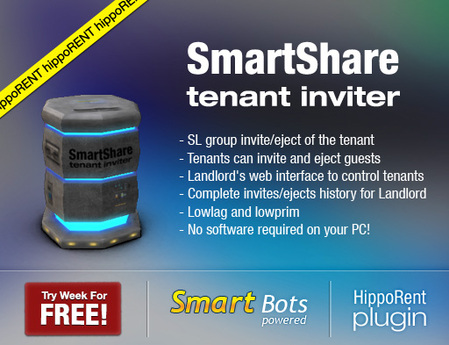
SmartShare Tenant Inviter (SSTI) is a special plugin for HippoRent. SSTI allows for flexible and centralized management of tenants and provides the following features:
- Automatic group invite to tenant when rent is paid (to a specific role)
- Automatic ejection when tenant leaves (or rent expired)
- Tenant can invite Partners and Guests, they will also be automatically invited to the specified role
- Tenant can remove Partners and Guests from the group
- Landlord has access to a web interface which allows them to see all the tenants and their guests
- The complete tenant's activity log is available: guests and partners ever invited and ejected is shown
SSTI is configured using a main server (no need to separately configure each HippoBox): only need to edit the configuration note card in the SSTI server.
Read more
Read the following pages for more details.
Using SSTI
- Installing SSTI - How to install and configure SSTI
- SSTI for tenants - SmartShare features for tenants
- SSTI for land owners - SmartShare features for land owners
Configuring SSTI
- Configuring group for SSTI - how to configure your group to work with SSTI
- Updating SSTI devices - how to upgrade to a new version seamlessly
Get it now!
Get the SSTI package at Second Life marketplace.