
Setting up barkeeper messages
| Line 23: | Line 23: | ||
__NOTOC__ |
__NOTOC__ |
||
| - | [[Category:Bot modules]] |
+ | [[Category:Bot modules configuration]] |
Revision as of 22:55, 21 September 2014
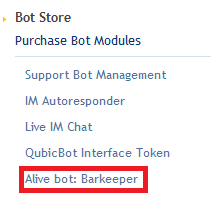
You can configure your Barkeeper bot using a configuration page in your account dashboard. To access the configuration page click "Alive bot: Barkeeper" on the left pane in your account dashboard
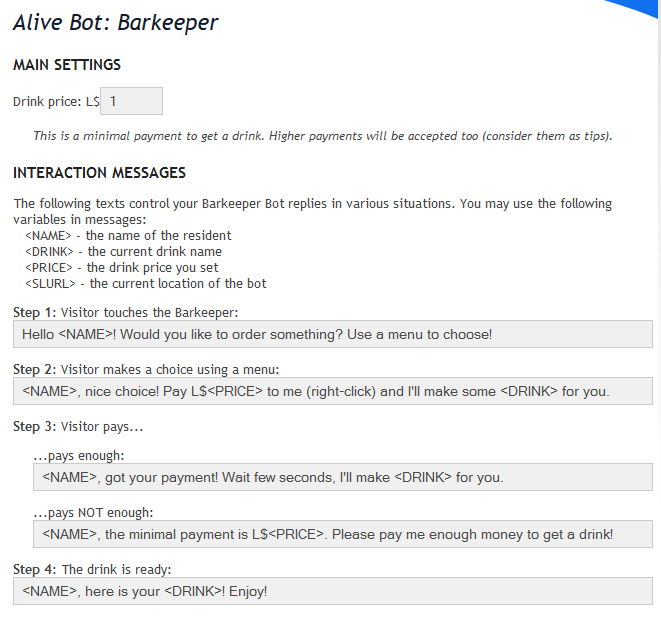
Interaction Messages
Here you can configure the various interaction messages that occur at different events:
Other Messages
There are also messages that may occur while someone isnt interacting with the bot or two persons try to use it at the same time:
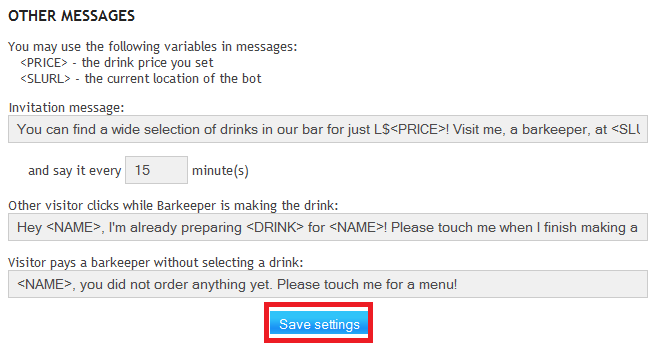
Invitation message is sent at the specified interval in local chat.
You must save the settings after enabling the module or the messages will not be sent!
<<Go Back to Alive Barkeeper