
SmartBots Documentation
| Line 3: | Line 3: | ||
{| width=100% |
{| width=100% |
||
| + | | |
||
| + | ! GROUP INVITER |
||
| + | ! CHAT CONTROL |
||
| + | ! GROUP NOTICES |
||
| + | |- |
||
! {{#httpimg: image=http://www.smartbots2life.com/images/docs/h_new_customers.png|class=noborder}} |
! {{#httpimg: image=http://www.smartbots2life.com/images/docs/h_new_customers.png|class=noborder}} |
||
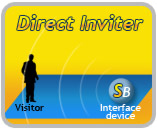
| - | | class=row-b width=33% | {{#httpimg: image=http://www.smartbots2life.com/images/service_inviter.jpg|page=Group Inviter Service|class=noborder}} |
+ | | class="pcenter row-b" width=33% | {{#httpimg: image=http://www.smartbots2life.com/images/service_inviter.jpg|page=Group Inviter Service|class=noborder|width=140}}<br>
|
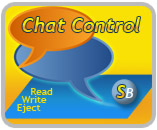
| - | | class=row-a width=33% | {{#httpimg: image=http://www.smartbots2life.com/images/service_chat.jpg|page=Group Chat Control Service|class=noborder}} |
+ | [[Group Inviter Service|read more...]] |
| - | | class=row-b width=33% | {{#httpimg: image=http://www.smartbots2life.com/images/service_notices.jpg|page=Group Notices Service|class=noborder}} |
+ | | class="pcenter row-a" width=33% | {{#httpimg: image=http://www.smartbots2life.com/images/service_chat.jpg|page=Group Chat Control Service|class=noborder|width=140}}<br>
|
| + | [[Group Chat Control Service|read more...]] |
||
| + | | class="pcenter row-b" width=33% | {{#httpimg: image=http://www.smartbots2life.com/images/service_notices.jpg|page=Group Notices Service|class=noborder|width=140}}<br>
|
||
| + | [[Group Notices Service|read more...]] |
||
|- |
|- |
||
! {{#httpimg: image=http://www.smartbots2life.com/images/docs/h_existing_customers.png|class=noborder}} |
! {{#httpimg: image=http://www.smartbots2life.com/images/docs/h_existing_customers.png|class=noborder}} |
||
| - | | class=row- |
+ | | class=row-a width=33% | |
=== Group Inviter === |
=== Group Inviter === |
||
* [[Setting up bot for invitations]] |
* [[Setting up bot for invitations]] |
||
* [[Interface Devices]] |
* [[Interface Devices]] |
||
| - | | class=row- |
+ | | class=row-b width=33% | |
=== Chat Control === |
=== Chat Control === |
||
* [[Setting up bot for chat control]] |
* [[Setting up bot for chat control]] |
||
* [[Chat moderators]] |
* [[Chat moderators]] |
||
| - | | class=row- |
+ | | class=row-a width=33% | |
=== Group Notices === |
=== Group Notices === |
||
* [[Setting up bot for sending notices]] |
* [[Setting up bot for sending notices]] |
||
| + | |} |
||
| - | | |
+ | == Advanced Features == |
| + | |||
| + |
{| width=100%
|
||
! {{#httpimg: image=http://www.smartbots2life.com/images/docs/h_advanced.png|class=noborder}} |
! {{#httpimg: image=http://www.smartbots2life.com/images/docs/h_advanced.png|class=noborder}} |
||
| - | | colspan=3 class=row- |
+ | | colspan=3 class=row-b | |
== API for Programmers == |
== API for Programmers == |
||
The truly amazing functionality for LSL scripters and programmers: '''listen''' to a group chat, eject spammers, send group notices from your LSL script! |
The truly amazing functionality for LSL scripters and programmers: '''listen''' to a group chat, eject spammers, send group notices from your LSL script! |
||
| Line 30: | Line 41: | ||
|} |
|} |
||
| - | |||
| - | |||
| - | |||
| - | |||
| - | |||
| - | |||
| - | |||
| - | |||
| - | |||
| - | |||
| - | |||
| - | |||
| - | |||
| - | |||
| - | |||
| - | |||
| - | |||
| - | |||
| - | |||
| - | |||
| - | |||
| - | |||
| - | |||
| - | |||
| - | |||
| - | |||
| - | |||
| - | |||
| - | |||
| - | |||
| - | |||
| - | |||
| - | |||
== More Info == |
== More Info == |
||
* [[Bots comparison|Compare SmartBots to other bots]] |
* [[Bots comparison|Compare SmartBots to other bots]] |
||
* [[FAQ]] |
* [[FAQ]] |
||
* [[Prices|Prices and packages]] |
* [[Prices|Prices and packages]] |
||
| - | |||
| - | |||
== How to start? == |
== How to start? == |
||
| Line 74: | Line 50: | ||
# List the groups you would like to manage, choose the bot names. |
# List the groups you would like to manage, choose the bot names. |
||
# Place Interface object on your parcel to do group invitations. |
# Place Interface object on your parcel to do group invitations. |
||
| - | |||
| - | |||
[[Category: New customers]] |
[[Category: New customers]] |
||
[[Category: Existing customers]] |
[[Category: Existing customers]] |
||
| - | |||
Revision as of 07:47, 28 October 2010
This is a documentation section of SmartBots. You will find description r all our services and explanation of possibilities below:
| GROUP INVITER | CHAT CONTROL | GROUP NOTICES | |
|---|---|---|---|
|
|
|||
|
|
Group Inviter |
Chat Control |
Group Notices |



Advanced Features
|
|
API for ProgrammersThe truly amazing functionality for LSL scripters and programmers: listen to a group chat, eject spammers, send group notices from your LSL script! This functionality is available through SmartBots AdminBot. |
||
|---|---|---|---|

More Info
How to start?
- Create account with us (click here).
- List the groups you would like to manage, choose the bot names.
- Place Interface object on your parcel to do group invitations.