
Group Chat Translator
Group Chat Translator allows text from foreign languages typed into your group chat to be translated to a language selected by you.
How it Works
Once the device is active when a text is typed into the chat that is not in the desired language, it is sent along our servers where it is translated using both the Microsoft and Engine and Google paid translation subscription. The translated version is then displayed in group chat:
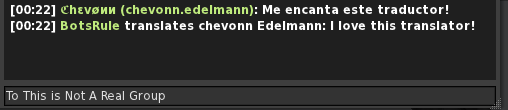
Click Here for a list of Languages that the translator can translate into.
Setting up The Device
Group Chat Translator can be configured by two easy ways. Manually by right clicking > edit > and the editing the config note card:
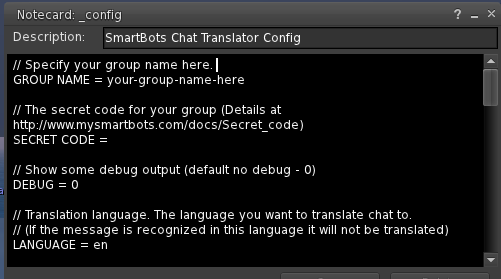
Steps are simple and you just fill out your group name and your groups secret code.
or automatically by typing into the box that appears on the first rez of the device:
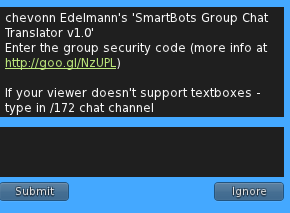
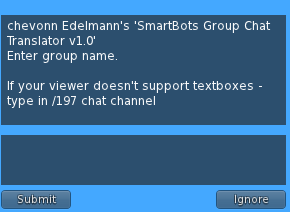
Where all you do is type in the required information (Group name or secret code) and press submit.
Afterwards you can change the language by click on the device and selecting "Chang Lang" or by editing the note card manually.
FAQ
These are some of the most frequently asked questions about the Group Chat Translator:
(1) I've heard that Google Translator is not free anyway. Does SmartBots Translator still work? - Yes, our translator works. It uses both Google paid subscription and Microsoft engines to ensure smooth translation.
(2) Can I take device to my inventory? - No, device should stay ressed.
(3) Does it matter where I rez the Translator device? - No, you can rez it anywhere, you just need a run-script permissions on the parcel.