
Setting up barkeeper messages
The tabs below shows how to access the various BARKEEPER menus:
- 1. Initiating Configuration
- 2. Available Options
- 3. Viewing Default Messages
Alive Barkeeper is configured using IM messages. To start configuring your barkeeper, touch him:

and then you will receive a list of options which you can choose
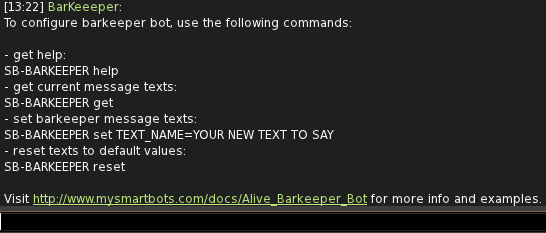
Once you type "SB-BARKEEPER help" you will see a list of options:
Typing "SB-BARKEEPER get" will provide you with a list of the current available messages, their current settings and instructions on how to change them:
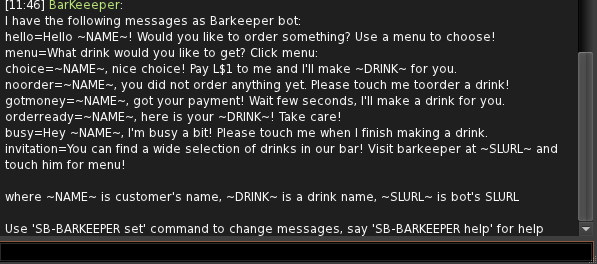
BARKEEPER Messages
Below is a table of the available messages and a description what they do:
Any of the above messages can be disabled by leaving it blank.
To change a message type "SB-BARKEEPER set message= your message here" change message to the one you want to change and replace your message here with your message. For eg changing the hello message:
SB-BARKEEPER set hello= Hello Nice to meet you!
Barkeeper will then provide a confirmation message saying that the option has been changed.
Automatic invitation
Barkeeper automatically invites nearby avatars to buy a drink by sending an "invitation" message. You can change this message or completely disable automatic invitation by setting the message to empty:
SB-BARKEEPER set invitation=