
Alive Strip Dancer Configuration
Alive Strip Dancer bot configuration consists of two stages:
- Determine the clothes inventory items bot will undress.
- Setup bot messages and payment amount.
1. Setting up your Strip Dancer appearance
The Strip Dancer appearance is being configured in regular SL viewer.
- Logout your bot from SmartBots
- Login bot using SL viewer (native, Firestorm or any other)
- Setup the clothes folders
- Close the viewer and login bot back to SmartBots
Visit Alive Strip Dancer Appearance page for details.
2. Setting up Strip Dancer's messages
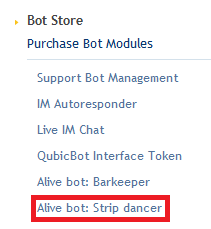
Alive Strip Dancer can be configured easily by accessing the module page from your account dashboard:
a) Select clothes folder
The first section allows you to choose the folder which you want the bot to wear (it will wear all levels by default). For instructions on how to setup the folder see the "FOLDER SETUP" tab for more details.
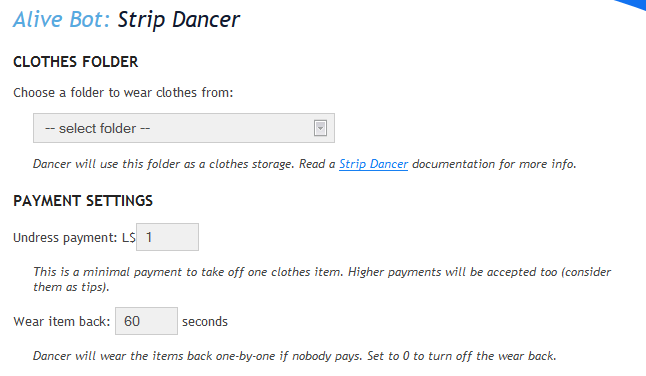
The module will allow the bot to read the folder structure on login so you can log-out the bot, setup a folder, and then log it back in.
b) Dancer messages
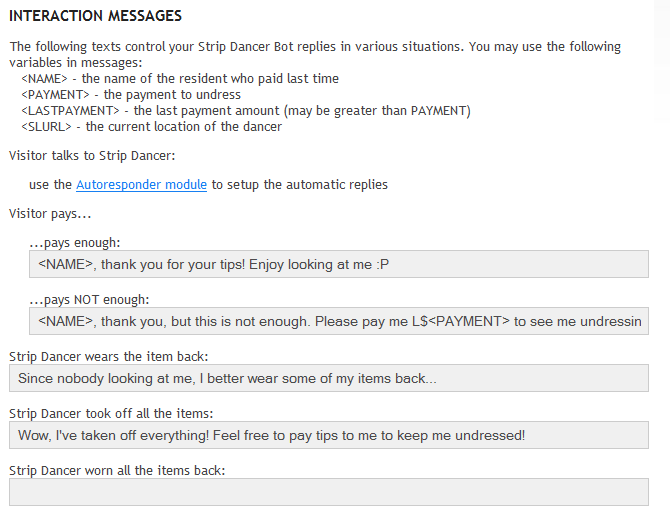
You can change how the bot responds to certain situations and resident's activity:
c) Other rmessages
The other messages section allows you to configure the invitation message. Bot sends this message regularly to attract visitors.
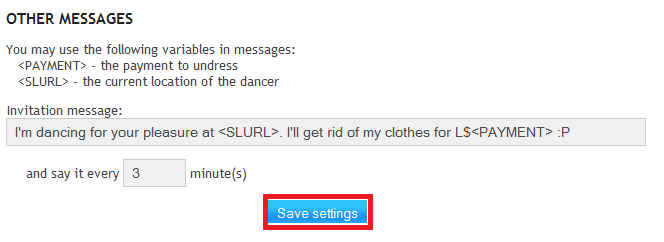
You must configure the bot atleast once by clicking save for the default messages to be applied