
Security code
AdminBot "security code" (also known as "Secret code") is a password your SmartBots-powered devices require. It prevents other people from abusing your group.
Setting the Security Code
- Login to your account at http://www.smartbots2life.com.
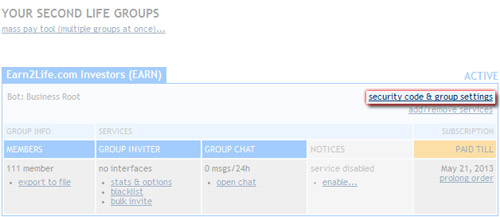
- Click on the "Group settings" link.
- Set the security code.
The following image will help you to locate the link:
Usage of Security Code
The security code is being used everywhere you use the group name: rental plugins, SHX tools and other devices created by SmartBots partners.
Using the security code makes your group secure. Each device has its own way to specify the security code:
A. Security Code in config notecards
If your device uses the config notecards, enter your security code to the device's config notecard.
B. Using web interfaces
Some devices (like CasperVend and others) use web interface to setup your device. Copy and paste the Security Code to the web page.