
SmartBots Documentation
|
(→API for Programmers)
|
|||
| Line 45: | Line 45: | ||
! {{#httpimg: image=http://www.smartbots2life.com/images/docs/h_advanced.png|class=noborder}} |
! {{#httpimg: image=http://www.smartbots2life.com/images/docs/h_advanced.png|class=noborder}} |
||
| colspan=3 class=row-b | |
| colspan=3 class=row-b | |
||
| + | |||
| + | == Export Group Members == |
||
| + | Export group members info to the text file! [[Group Export|Read more here]]. |
||
== API for Programmers == |
== API for Programmers == |
||
Revision as of 12:35, 25 November 2010
Welcome to SmartBots Documentation Pages!
 With SmartBots you don't have to keep your PC running 24/7 to run a Second Life bot.
We host all bots, maintain and support the bot software. All you have to do is to subscribe and invite bot to your group. It's that easy!
- New customer - check the "About" and "Services".
- Existing customers - check "Customers" and "Advanced" sections below.
Documentation contents
|
|
READ THIS FIRST: |
||
|---|---|---|---|
|
|
|||
|
|
Group Inviter |
Chat Control |
Group Notices |
|
|
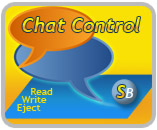
Export Group MembersExport group members info to the text file! Read more here. API for ProgrammersThe truly amazing functionality for LSL scripters and programmers: listen to a group chat, eject spammers, send group notices from your LSL script! This functionality is available through SmartBots AdminBot. |
||





How to start?
- Create account with us (click here).
- List the groups you would like to manage, choose the bot names.
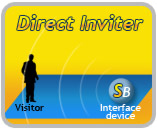
- Place Interface object on your parcel to do group invitations.