
Outfit Rotator
|
QuincyJohnes (Talk | contribs)
|
QuincyJohnes (Talk | contribs)
|
||
| Line 4: | Line 4: | ||
docs=Outfit Rotator| |
docs=Outfit Rotator| |
||
}} |
}} |
||
| + | |||
| + | <videoflash>8LP7f5MUTAY|624|345</videoflash> |
||
Outfit Rotator is an add-on for [[Personal_Bots|Personal Bots]] to automatically change model appearance wearing pre-configured outfit folders. |
Outfit Rotator is an add-on for [[Personal_Bots|Personal Bots]] to automatically change model appearance wearing pre-configured outfit folders. |
||
Revision as of 19:21, 27 June 2017
This is a bot add-on:
1. Get this addon:
- Buy in web Bot Store
- Then attach to your bot
2. Configure in left menu:
Outfit Rotator
3. Get more help:
- read docs
- contact support
Outfit Rotator is an add-on for Personal Bots to automatically change model appearance wearing pre-configured outfit folders.
Bot rotates outfits, announcing them to the local chat.

Setting up
- First, prepare outfit folders set (if you need help, read "Creating outfits" below)
- Open Outfit Rotator addon page
- Add your outfits:
- Click "Add outfit folder"
- Locate folder in Inventory Browser
- Select it

You can now set local chat message for each outfit, along with a outfit display time. Bot starts wearing outfits automatically.
Creating outfits
Outfits can be created by logging into your bot using SL Viewer (native, Firestorm etc). Proceed with the following steps:
- Login to your bot with any Viewer
- Dress up your bot
- Go to your bot's Outfits & click "Wearing"
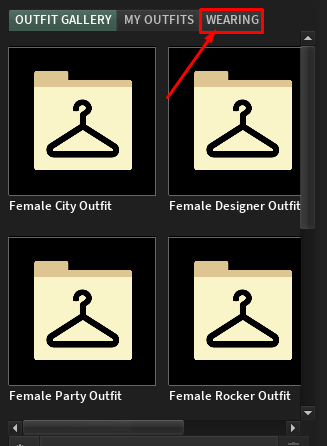
- Scroll down and save the outfit to a separate folder
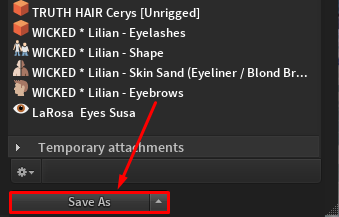
- Repeat for every outfit you need


NOTE: If you do not want your bot to take off particular objects on each outfit change (such as: hair, underwear, tattoos, rings, etc) - We recommend to create separate folder and move these kind of items there.