
Sim Governor (add-on)
|
m (Added sim restart information)
|
m (→Setup)
|
||
| Line 13: | Line 13: | ||
# To use this module the bot should be added as an estate manager. You add estate managers using you SL viewer. |
# To use this module the bot should be added as an estate manager. You add estate managers using you SL viewer. |
||
| - | # Open the Sim Governor page, select your bot and add region to manage: [[Image:Sim governor setup.png|link=]] |
+ | # Open the Sim Governor page, select your bot and add region to manage '''(CaPs SeNsItIvE)''': [[Image:Sim governor setup.png|link=]] |
# You may need to teleport your bot to the region: [[Image:Sim governor teleport.png|link=]] |
# You may need to teleport your bot to the region: [[Image:Sim governor teleport.png|link=]] |
||
Revision as of 17:16, 12 May 2015
Sim Governor module allows you to control your sim using your bot without having to login to Second Life.
Major features
- Manage Sim access list (ban residents, add them to access list)
- Check the sim ban list for dead accounts
- Eject residents without banning them
- Send a sim wide messages
- Restart the sim and schedule periodic sim restarts
The number of regions managed by Sim Governor is not limited. You can add any number of sims and switch between them, teleporting your bot automatically.
Setup
- To use this module the bot should be added as an estate manager. You add estate managers using you SL viewer.
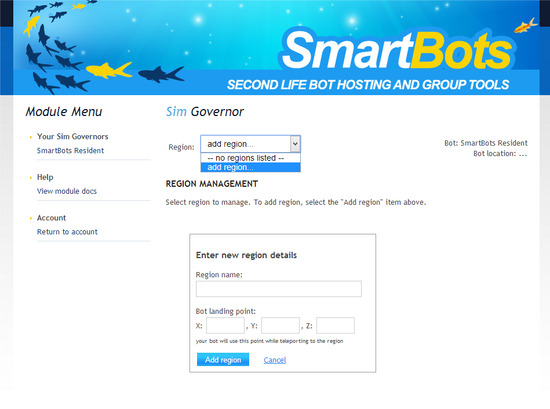
- Open the Sim Governor page, select your bot and add region to manage (CaPs SeNsItIvE):
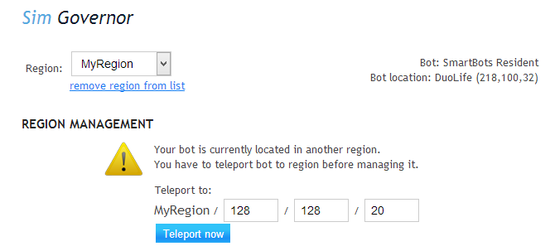
- You may need to teleport your bot to the region:
Functionality
The core functionality of the module is equal to your SL viewer's "Region management" window: the ban and access lists, restart and messaging functions.
However, SmartBots Sim Governor has its own unique features beyond the viewer's functionality.
Checking for dead accounts
The size of the ban list is limited to 500 accounts. You may want to cleanup this list and remove accounts no longer exist in Second Life (e.g. banned or cancelled ones).
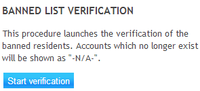
Sim Governor is able to check all accounts in ban list by doing a reverse name check:
After checking all accounts (this may take few minutes) accounts not available are being displayed as "N/A":
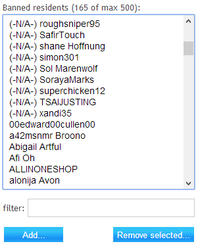
You can remove these accounts by selecting them and pressing the "Remove selected" button.
One-Time and Periodic Sim Restarts
Sim restarts can be performed by your bot in two ways. One-Time restarts cause the bot to only perform the restart once, while Periodic restarts cause the sim to restart at a certain time that you specify.
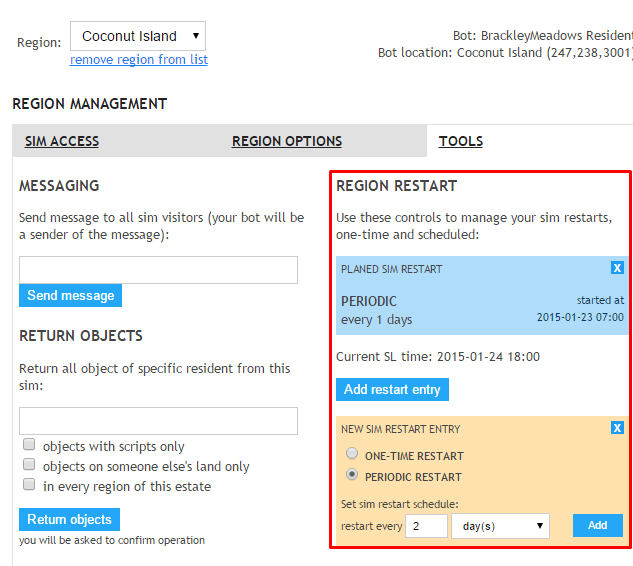
Your bot will restart the sim at the time the entry is submitted, when it is next scheduled. For example, if you schedule the bot to restart your sim every 24 hours, it will restart 24 hours from when you submitted the restart entry.
If you wish for your sim to be restarted at a specific time, use the One-Time restart entry option and choose the date/time manually.
How to get this module
Visit Sim Governor page in BotStore and purchase the module. Then attach the module to your bot.