
Sim Governor (add-on)
Sim Governor module allows you to control your sim using your bot without having to login to Second Life.
Contents |
Major features
- Manage Sim access list (ban residents, add them to access list)
- Check the sim ban list for dead accounts
- Eject residents without banning them
- Send a sim wide messages
- Restart the sim
Setup
- To use this module the bot should be added as an estate manager. You add estate managers using you SL viewer.
- Open the Sim Governor page, select your bot and add region to manage:
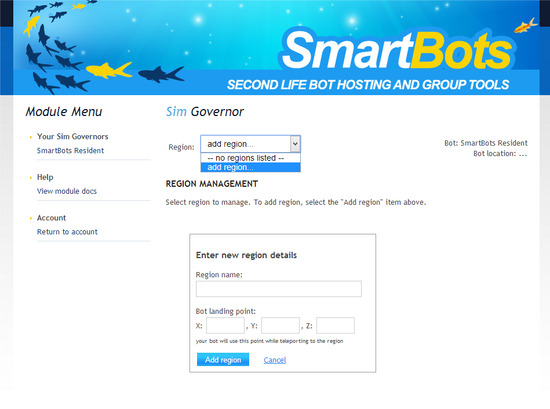
- You may need to teleport your bot to the region:
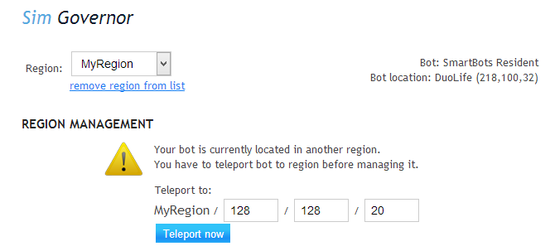
Functionality
The core functionality of the module is equal to your SL viewer's "Region management" window: the ban and access lists, restart and messaging functions.
However, SmartBots Sim Governor has its own unique features beyond the viewer's functionality.
Checking for deal accounts
The size of the ban list is limited to 500 accounts. You may want to cleanup this list and remove accounts no longer exist in Second Life (e.g. banned or cancelled ones).
Sim Governor is able to check all accounts in ban list by doing a reverse name check:
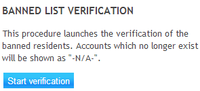
After checking all accounts (this may take few minutes) accounts not available are being displayed as "N/A":
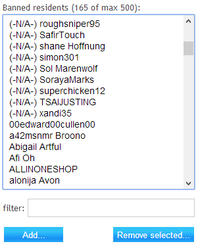
You can remove these accounts by selecting them and pressing the "Remove selected" button.
To view the the module page click on “Sim Govenor” from the module list in your account dashboard.