
Waypoints Navigation
The Waypoints Navigator Modules lets your bot follow a path of points around your sim, speaking, running, making sounds and animating itself as it goes!
How to Activate
To activate the module simply:
- Purchase it from the bot store. (Coming Soon!)
- Attach it to you bot.
- Use the simple web interface to set up the waypoints!
Setting Up Waypoints
- Firstly, you'll need to navigate to the Waypoint Editor, you'll find it on the left hand side of your account dashboard!

- To add a new waypoint, click the 'Add new waypoint' button, this will bring up a list of the various types of points you can add.

- Each waypoint has it's own unique settings. 'Walk' and 'run' require the sim coordinates, 'sleep' requires a number in seconds to wait for, 'teleport' takes any SLURL and teleports to it and 'say' requires one or more different pieces of text to speak.

- The 'sound' and 'animate' waypoints let you browse the bot's inventory for sounds and animations to play!

- After setting up your waypoints, click the 'Save changes' button to apply the settings to the bot.
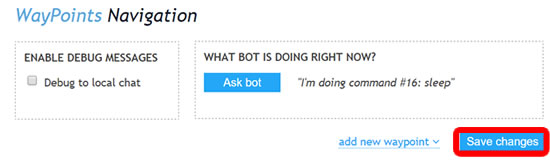
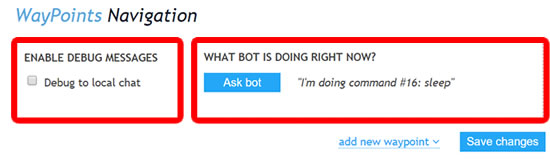
- There are some more options such as 'debug' and 'ask bot' which will show some more advanced information on what the bot is doing, this can help to find errors in your waypoints setup!
- It's as simple as that! If you need any help setting up waypoints, our support team will be happy to help!
Troubleshooting
- My bot stops before reaching the waypoint and skips to the next one.
- It's possible that your bot is hitting something and getting stuck on the way to the waypoint.
- The bot doesn't move once saving changes?
- Please detach, restart your bot and re-attach the module. Don't worry, you won't lose any saved waypoints!
- Something else wrong?
- Contact our live chat or in-world support for more help!