
Trusted Managers
Sometimes it might be necessary to allow someone to manage your groups and/or bot. This might be a colleague, employee or friend. Therefore the "Trusted Managers" section has been provided to grant management permissions to other residents.
Your "Trusted Manager" can have access to your groups and/or bots (read the instructions below to know more).
Manager abilities
You can assign any set of abilities to each of your manager:
| Service | Manager abilities |
|---|---|
| Group Inviter |
You specify the groups available to each manager. |
| Group Chat |
You specify the groups available to each manager. |
| Group Notices |
You specify the groups available to each manager. |
| Personal bots |
You specify the bots each manager can control. |
| Bot modules | * Access your modules (see Module Store).
You specify which modules are available for manager |
Adding and changing managers
Accessing manager account
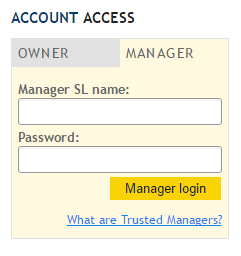
Trusted Managers can access their accounts from main web-page with the login and password created and given by account owner. (Account owners can also change/modify managers passwords at anytime)
Accessing bot modules
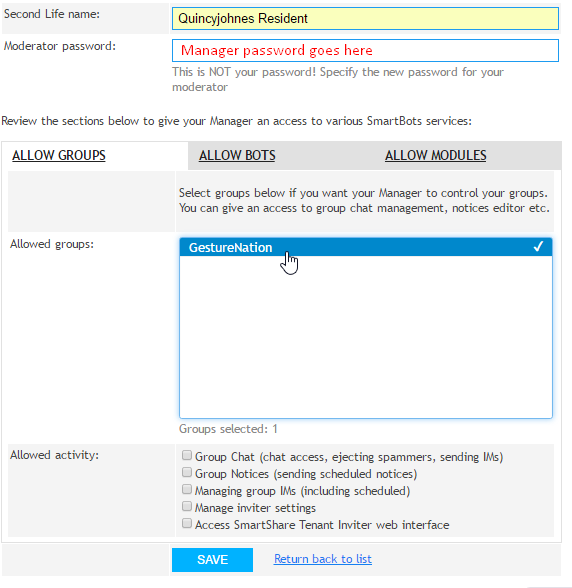
Your managers are also able to control your bot modules (The add-ons of your bots, You can allow your managers to gain access over your modules by navigating to your Trusted Managers section and upon creating and or modifying the access of manager - Click on "Allow modules"
Currently, there are the following modules available for Trusted Managers to control:
See Also
- Instructions of how to Trusted Managers for Groups separately
- How to assign Trusted Managers for Bots to control your Personal Bots
- How to assign Trusted Managers for Modules