
Live IM Chat (add-on)
| Line 1: | Line 1: | ||
| - | Bot Live Chat is the web interface which allows receiving and sending Instant Messages using your [[Personal Bot|personal bot]]. The messages will arrive to recepients like from |
+ | Bot Live Chat is the web interface which allows receiving and sending Instant Messages using your [[Personal Bot|personal bot]]. The messages will arrive to recepients like from a normal avatar. |
== Accessing the Live Chat == |
== Accessing the Live Chat == |
||
| Line 17: | Line 17: | ||
Any new message received by your bot will automatically appear in the tab within few seconds (it may take 15-30 seconds for SmartBots HUD to display a new message notification icon). |
Any new message received by your bot will automatically appear in the tab within few seconds (it may take 15-30 seconds for SmartBots HUD to display a new message notification icon). |
||
| - | '''Offline messages:''' If bot owner is offline, system will keep the unread |
+ | '''Offline messages:''' If the bot owner is offline, the system will keep the unread message(s) until you come online. SmartBots will be using the Live Chat to provide the better quality support for all customers, both new and existing ones. |
'''Staff usage:''' You can give the link to your Live Chat window to anyone. Your staff members will be able to contact your customers immediately. |
'''Staff usage:''' You can give the link to your Live Chat window to anyone. Your staff members will be able to contact your customers immediately. |
||
Revision as of 00:31, 11 August 2012
Bot Live Chat is the web interface which allows receiving and sending Instant Messages using your personal bot. The messages will arrive to recepients like from a normal avatar.
Accessing the Live Chat
The Live Chat page can be opened either from SmartBots account, or as icon in the SmartBots Personal Bot HUD header:
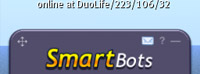
Live Chat Overview
Live Chat web page looks like following:

Live chat window consists of a main chat area with conversation tabs, and right panel with previous (closed) conversation.
Any new message received by your bot will automatically appear in the tab within few seconds (it may take 15-30 seconds for SmartBots HUD to display a new message notification icon).
Offline messages: If the bot owner is offline, the system will keep the unread message(s) until you come online. SmartBots will be using the Live Chat to provide the better quality support for all customers, both new and existing ones.
Staff usage: You can give the link to your Live Chat window to anyone. Your staff members will be able to contact your customers immediately.
Get SmartBots HUD
To get SmartBots HUD, please proceed to its documentation page.