
Group Export
| Line 12: | Line 12: | ||
# On Export page, click "create new group export request >>" link |
# On Export page, click "create new group export request >>" link |
||
| - | # Pay the export payment |
+ | # [[How_to_pay_for_Additional_Services|Pay the export payment]]
|
# Wait for IM telling that export is completed (takes 10-15 minutes) |
# Wait for IM telling that export is completed (takes 10-15 minutes) |
||
# Download the export file at Export page. |
# Download the export file at Export page. |
||
Revision as of 20:34, 5 December 2012
You can export the complete group members list to the text file. The following info can being exported:
- Second Life name
- Resident UUID
- Last login date
How to order export
Your group subscription must be active (with any SmartBots service enabled). Click the "export to file" link to open the export page:
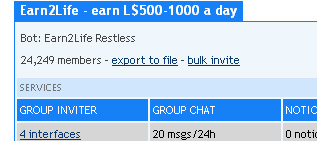
- On Export page, click "create new group export request >>" link
- Pay the export payment
- Wait for IM telling that export is completed (takes 10-15 minutes)
- Download the export file at Export page.
Output Formats
The info is being exported in several formats, including generic CSV. The following formats are available:
- LoginDate UUID Firstname Lastname
- LoginDate, UUID Firstname, Lastname
- UUID Firstname Lastname
- UUID, Firstname Lastname
- Firstname Lastname:UUID
- UUID
- Firstname Lastname
The variety of formats is available to allow easy import to other SL tools (for example, ArtiZAN mailers).
Prices
See the Prices page.