
Personal Bot Inventory Browser
You can also managing your bot`s inventory, including you can:
- quickly switch between folders;
- easy dress or undress your bot;
- and you can change the accessibility to various objects
Accessing inventory browser
To access inventory browser, open your Personal Bot Control Panel, then click "view inventory" link.
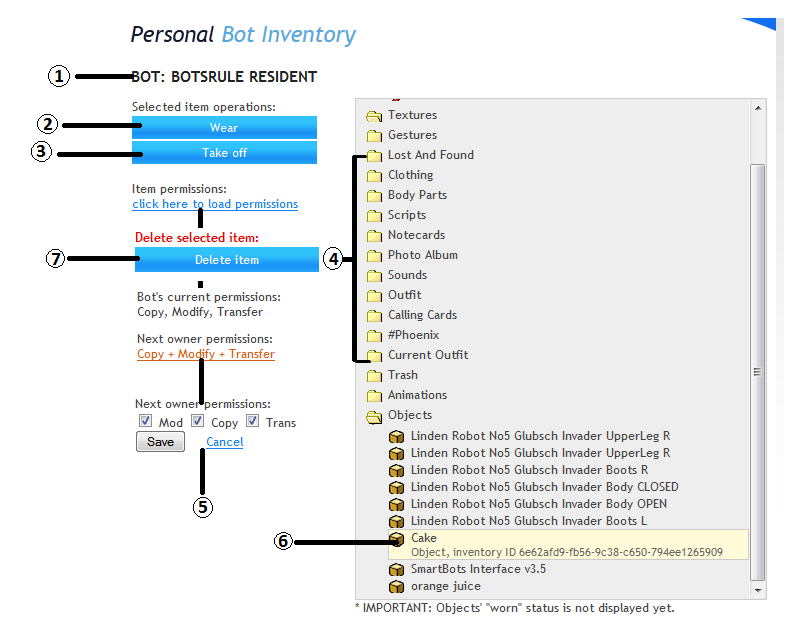
As you can see here all of the your bot`s folders and objects are comfortable displayed, so you can easy manage of them
- Shows Personal Bot's name
- Clicking this will make the bot wear the selected item
- Makes the bot take off the selected item
- Shows the list of folders available. Clicking the folder opens it.
- Allows you to view and change the selected item's permission.
- A selected item will have a yellow back ground. It will also show the item type (object,landmark etc) as well as its UUID