
Sit Second Life bot on selected object
SmartBots Personal Bot HUD allows you to command your bot to sit on a nearby SmartBots PoseStand or any other object.
On the control tab of the hud click sit to receive the following popup:
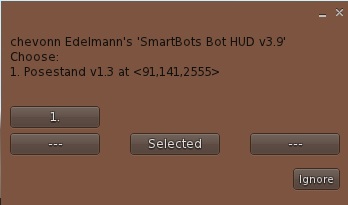
The menu displays a list of Personal Bot Pose Stands near to the bot. You can choose one or you can make the bot sit on a pose ball, chair or object.
Sitting on selected object
You can also command the bot to sit on any suitable object;
- On the control tab click sit to open the sit menu
- Highlight the required object inworld (right-clicking and "Edit"):
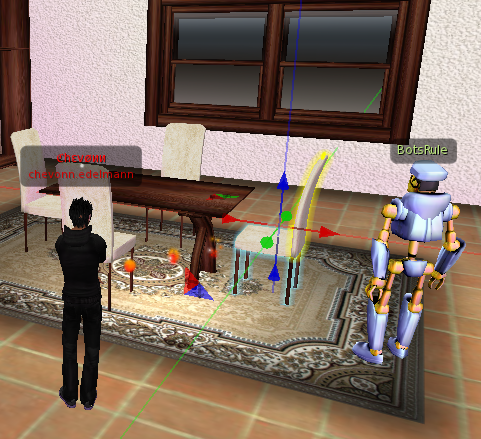
- Choose the selected option from the menu
The bot will try to sit on the object you've just highlighted.
Note: in Firestorm/Phoenix viewer, this feature works only if "Don't send my selection target hints" option is unchecked (your selection beam needs to be visible to the bot).
Sim restarts & Bot relogs
When you command the bot to sit on an object, it remembers it. The bot will return to the original location on a sim restart and sit on the previous object.