
Sit Second Life bot on selected object
SmartBots Personal Bot HUD allows you to command your bot to sit on a nearby SmartBots PoseStand or any other object.
On the control tab of the hud click "sit" to receive the following popup:
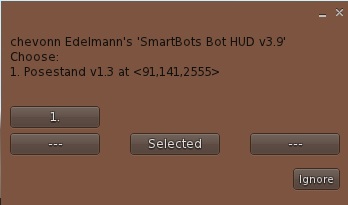
The menu displays a list of Personal Bot Pose Stands near to the bot. You can choose one or you can make the bot sit on a pose ball, chair or object.
Sitting on selected object
You can also command the bot to sit on any suitable object;
- On the control tab click "sit" to open the sit menu
- Highlight the required object inworld (right-clicking and selecting "Edit"):
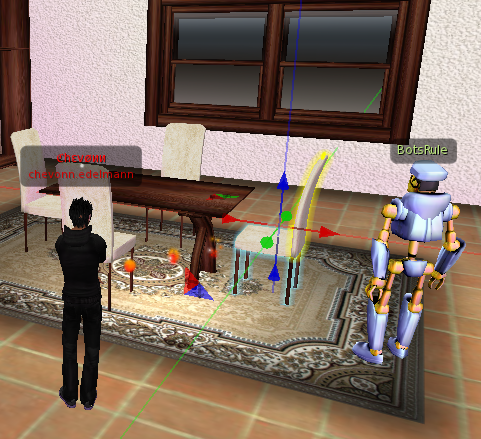
- Choose the "Selected" option from the menu
The bot will try to sit on the object you've just highlighted.
Note: in some viewers, this feature works only if "Don't send my selection target hints" option is unchecked (your selection beam needs to be visible to the bot).
Sitting bot using Personal bot Control Panel
With SmartBots it is also possible to tell your bot which object to sit on using it's UUID in the Personal Bot Control Panel. Simply access your personal bots control panel and on the left leg select "sitting on" and place the objects UUID: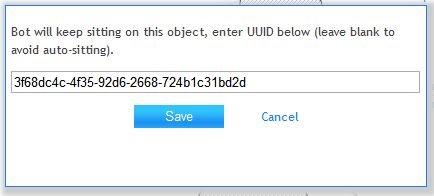
How to get an object's UUID
To get an objects UUID using the firestorm viewer:
- Right click on the object and select edit
- Select copy key from the edit menu
Sim restarts & Bot relogs
When you command the bot to sit on an object, it remembers it. The bot will return to the original location on a sim restart and sit on the previous object.