
Greeter
|
m (→How to Enable the Greeter)
|
QuincyJohnes (Talk | contribs)
|
||
| Line 16: | Line 16: | ||
# On your account dashboard locate the group you wish to enable the greeter for, hover over '# inviters' and then click 'options' [[Image:Greeter1.png|center|border|link=|500px]] |
# On your account dashboard locate the group you wish to enable the greeter for, hover over '# inviters' and then click 'options' [[Image:Greeter1.png|center|border|link=|500px]] |
||
# On the page that appears click "Interface Options [[Image:Greeter2.png|center|border|link=|500px]] |
# On the page that appears click "Interface Options [[Image:Greeter2.png|center|border|link=|500px]] |
||
| - | # Type the message you wish to be sent and also select an object from the list of uploaded objects: [[Image: |
+ | # Type the message you wish to be sent and also select an object from the list of uploaded objects: [[Image:Newgreeter500.png|center|border|link=|500px]] |
'''''Note: If selecting an object it must be previously uploaded and has next owner permissions set. See [[Bot inventory]] for more details.''''' |
'''''Note: If selecting an object it must be previously uploaded and has next owner permissions set. See [[Bot inventory]] for more details.''''' |
||
Revision as of 00:33, 14 November 2018
SmartBots also offers a greeter function that comes free with the Group Inviter Service.
The greeter sends and IM along with a group invite to any none group member which comes within range of the Interface Device (Currently the IM will only be sent along with a group invite).
The greeter can also send and object along with the IM (Object must be copy+trans, you can set next user permissions using the Personal Bot Inventory Browser.
Features
- Works with either a shared or Personal Bot
- Able to send an object with message
- Free! (Must have Group Inviter Service enabled for the greeter to work)
How to Enable the Greeter
To enable the greeter simply follow these steps (assuming your group has already been added and configured properly to work with the Group Inviter):
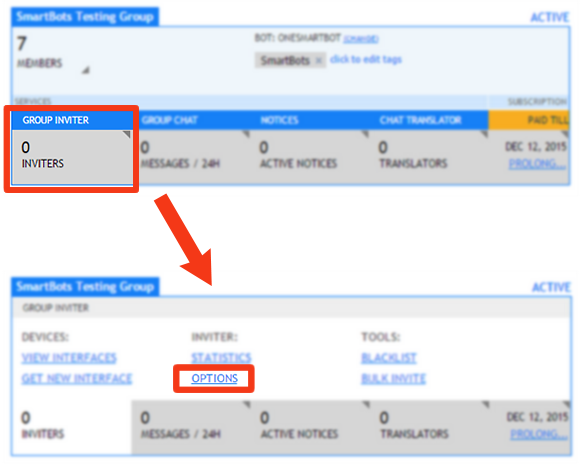
- On your account dashboard locate the group you wish to enable the greeter for, hover over '# inviters' and then click 'options'
- On the page that appears click "Interface Options

- Type the message you wish to be sent and also select an object from the list of uploaded objects:

Note: If selecting an object it must be previously uploaded and has next owner permissions set. See Bot inventory for more details.