
Inviting bot to the group, viewer V3
To utilize the SmartBots features you have to invite the bot to join your group first.
Inviting bot to your group
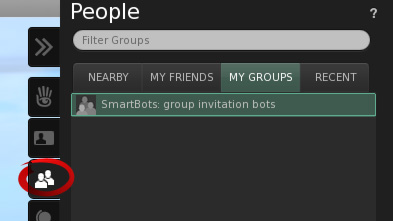
Open your group profile: open sidebar, click MY GROUPS and choose your group:
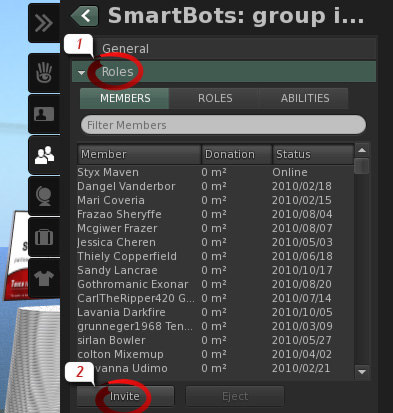
1. Click the Roles section
2. Switch to the Members tab and click Invite
3. Type the name of your bot (see your SmartBots account for details).
4. Click the Send Invitations button.
Bot will accept your invitation automatically.
If you experience any troubles inviting bot, <a href="/en/contacts.html">contact our manager</a> in-world. He will guide you through invitation process.