
Cleaning Ban and Allow Lists
Overview
Over time, your estate's banned and allowed resident lists may accumulate entries belonging to Second Life accounts that no longer exist.
These obsolete entries occupy space in your access lists unnecessarily.
The Clean ban/allow lists tool automatically checks your existing lists, identifies accounts that no longer exist, and allows you to remove them.
Accessing the Cleaning Tool
Open Sim Governor.
Select your Personal Bot.
Select the region you wish to manage.
Under Sim Access, click Clean ban/allow lists.
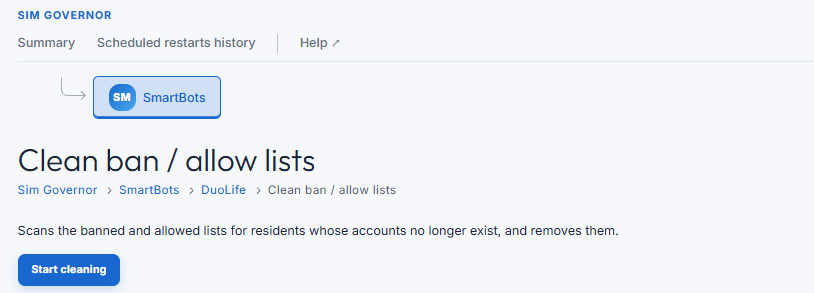
Click Start cleaning to begin the process.
Understanding the Cleaning Process
The cleaning process is divided into four stages.
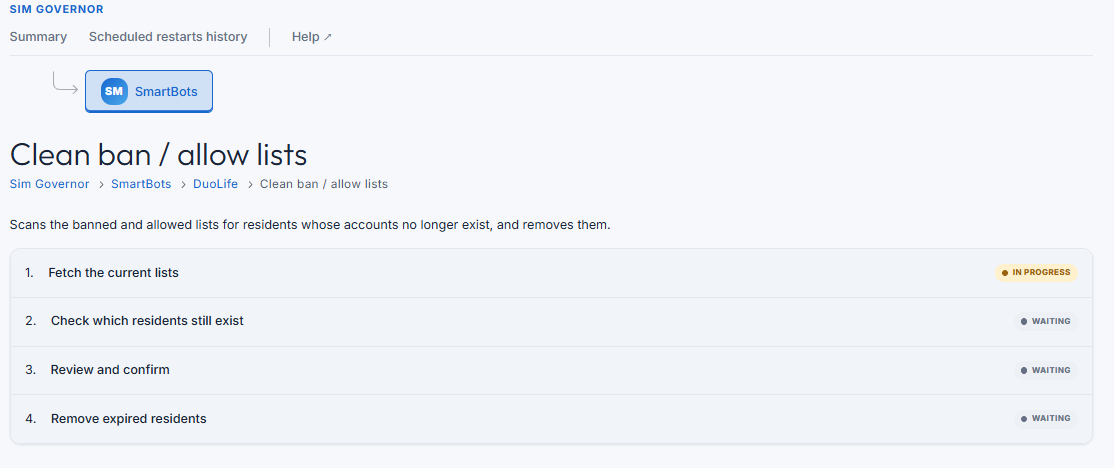
Stage 1 — Fetch the Current Lists
Sim Governor retrieves the current banned and allowed resident lists.
The number of entries in each list is displayed.
Stage 2 — Check Which Residents Still Exist
Sim Governor checks the retrieved accounts to determine whether they still exist in Second Life.
Depending on the number of residents in your lists, this process may take several minutes.
Stage 3 — Review and Confirm
Once the account verification process is complete, you can review the results before proceeding with the removal of obsolete entries.
If all accounts still exist, Sim Governor will display the following message:
Nothing to clean — every resident still exists.
In this case, click Done to finish the process.
Stage 4 — Remove Expired Residents
After reviewing and confirming the results, Sim Governor removes the identified obsolete entries from the corresponding lists.
Cleaning Statuses
The cleaning interface displays the progress of each stage.
Status | Description |
|---|---|
Done | The stage has been completed. |
Needs review | Your review or confirmation is required. |
Waiting | The stage has not yet started. |
Useful Information
The cleaning tool checks both banned and allowed resident lists.
It is designed to remove entries belonging to accounts that no longer exist, rather than remove existing residents based on inactivity.
Regularly cleaning your access lists helps keep them organized and frees up space for new entries.