
Returning Objects
Overview
The Return objects tool allows you to return objects belonging to a specific resident or group without having to log in to Second Life.
You can return objects from the selected region or extend the operation across every region within the estate.
Accessing the Return Objects Tool
Open Sim Governor.
Select your Personal Bot.
Select the region you wish to manage.
Under Tools, click Return objects.
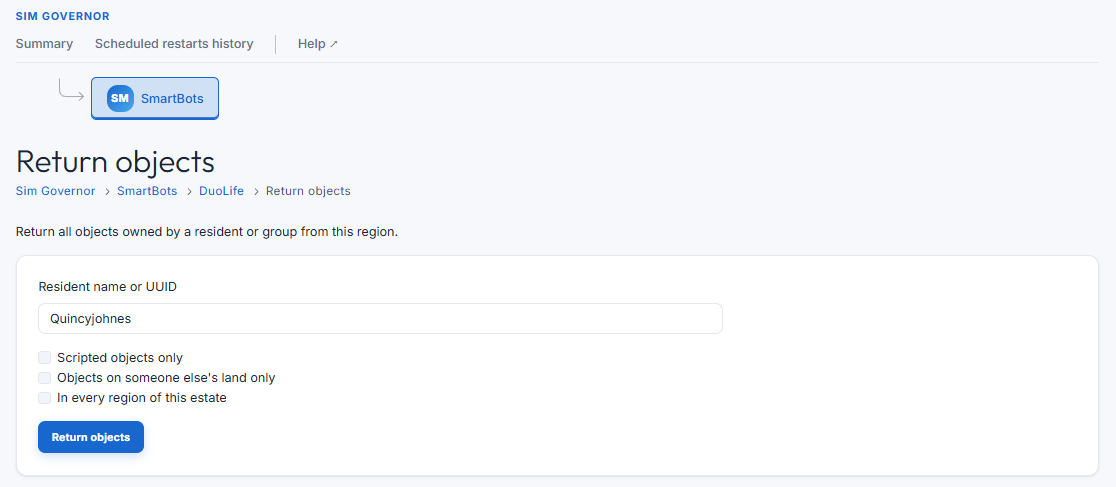
Configuring the Object Return
Enter one of the following identifiers in the Resident name or UUID field:
A resident's Second Life name.
A resident's UUID.
A group's UUID.
You can then configure additional filters to determine which objects should be returned.
Option | Description |
|---|---|
Scripted objects only | Limits the operation to scripted objects belonging to the specified resident or group. |
Objects on someone else's land only | Limits the operation to objects located on land belonging to someone else. |
In every region of this estate | Extends the operation to all regions within the estate rather than only the selected region. |
Leave the optional filters disabled if you want to return all objects belonging to the specified resident or group from the selected region.
Returning Objects
After entering the owner information and selecting the desired options, click Return objects.
Warning: Returning objects may affect a large number of objects, particularly when the estate-wide option is enabled.
Always verify the resident or group identifier and review your selected filters before performing the operation.