
Three new updates have been deployed to SmartBots Playground: automatic script backups to GitHub, a notifications panel for scripts that need your attention, and AI token usage on your dashboard.
Script backups to GitHub
Your Playground scripts can now be backed up automatically to your own private GitHub repository. Connect your GitHub account, choose where the backups go, and Playground takes care of the rest.
Setup takes just a minute:
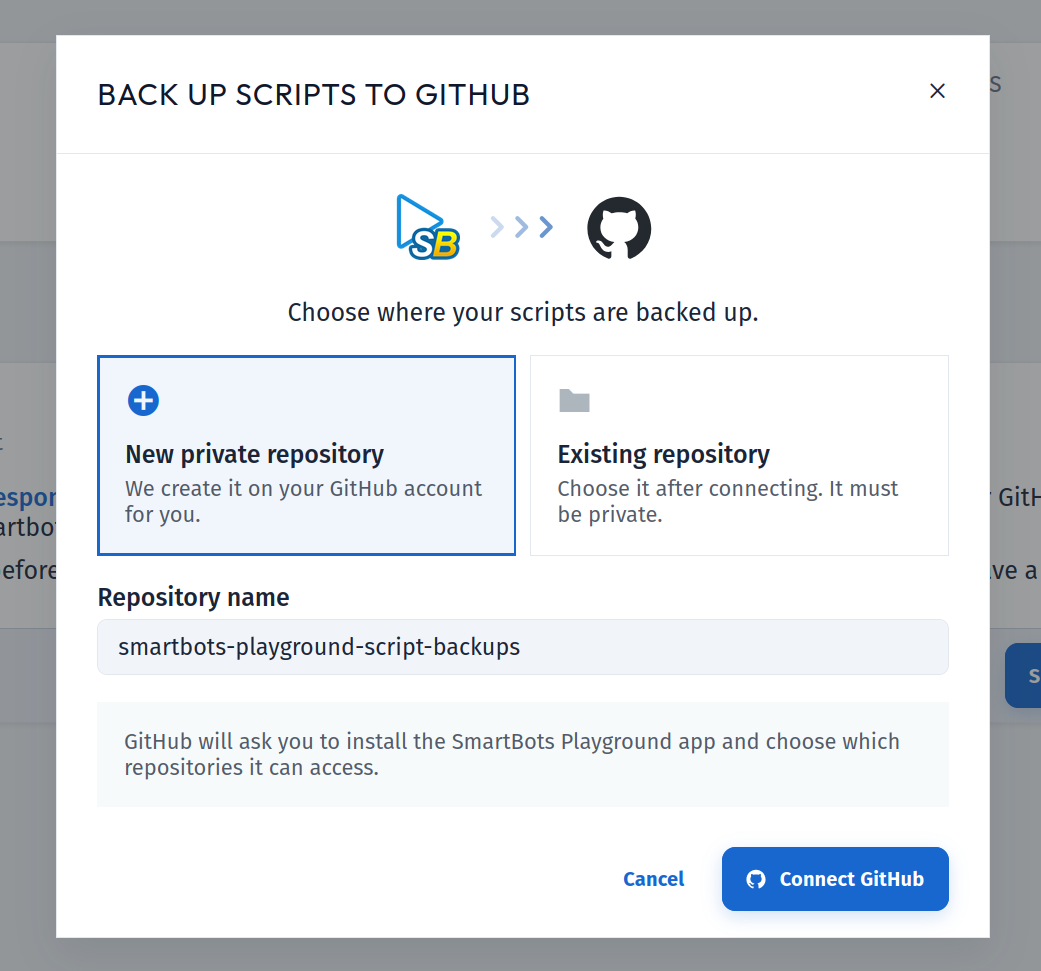
- Connect your GitHub account
- Create a new private repository, or pick an existing private one
- Wait while your scripts are backed up
Your existing scripts are backed up straight away. After that, every script is backed up 5 minutes after you save a change, with no further action from you. The backup runs in the background, so you can close the window and carry on working.
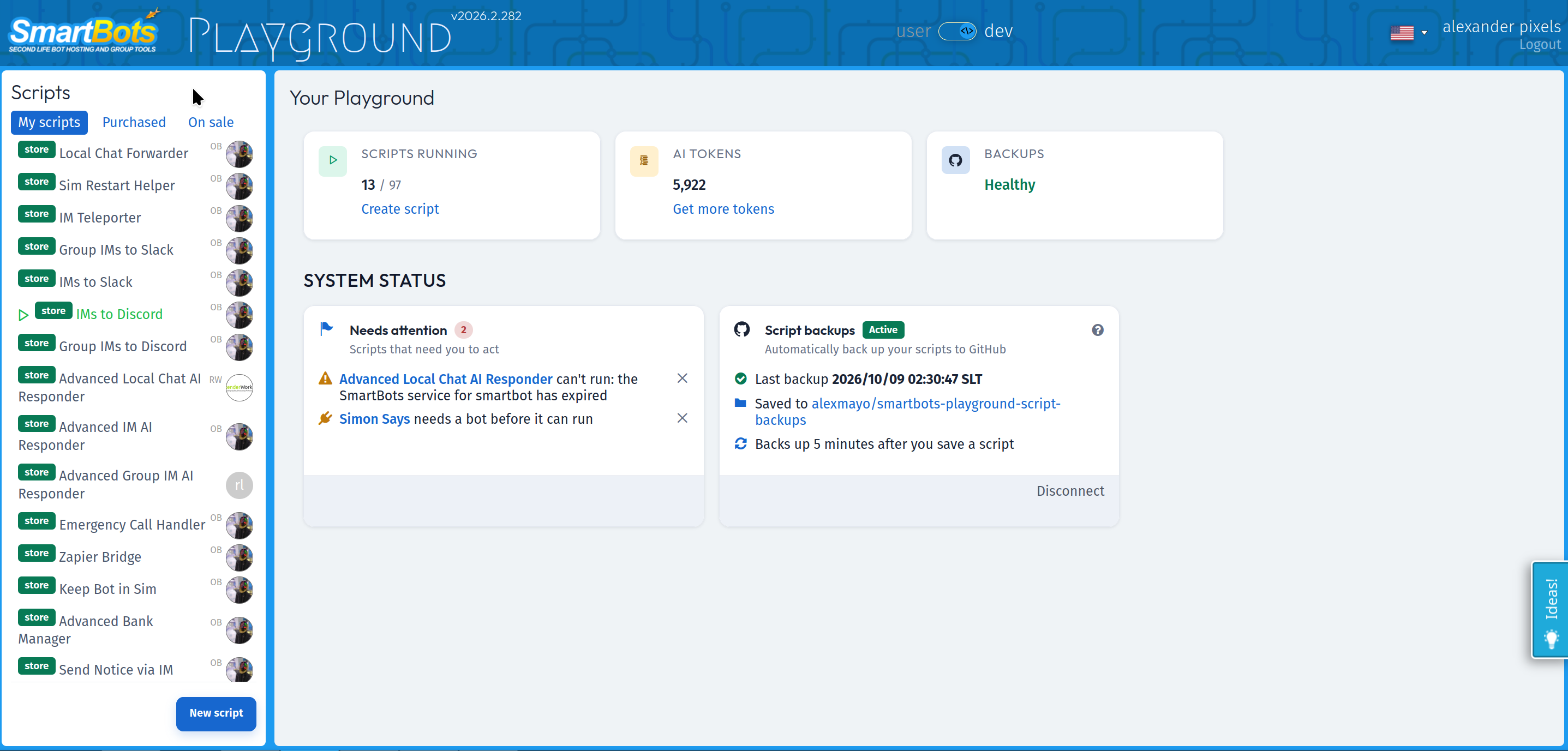
The Script backups card on your dashboard shows the time of the last backup and the repository it was saved to, and lets you disconnect at any point.
Your scripts are your work. This keeps a copy of them somewhere safe, under your own GitHub account, with full version history.
Needs Attention Card
The dashboard now flags scripts that require action from you, such as scripts with unread errors and scripts that have no bot assigned yet. Each notice links straight to the script in question and can be dismissed once dealt with.
AI Tokens Card
If your scripts use SmartBots AI, your dashboard now shows how many tokens they have spent and how many scripts are using them.
All three are live now in your Playground.
Got an idea for what we should add next? Use the Ideas! tab in Playground, or get in touch. We read every suggestion.
Happy scripting!
Discussion
0No comments yet. Start the conversation.
Login to your SmartBots account to post a comment